
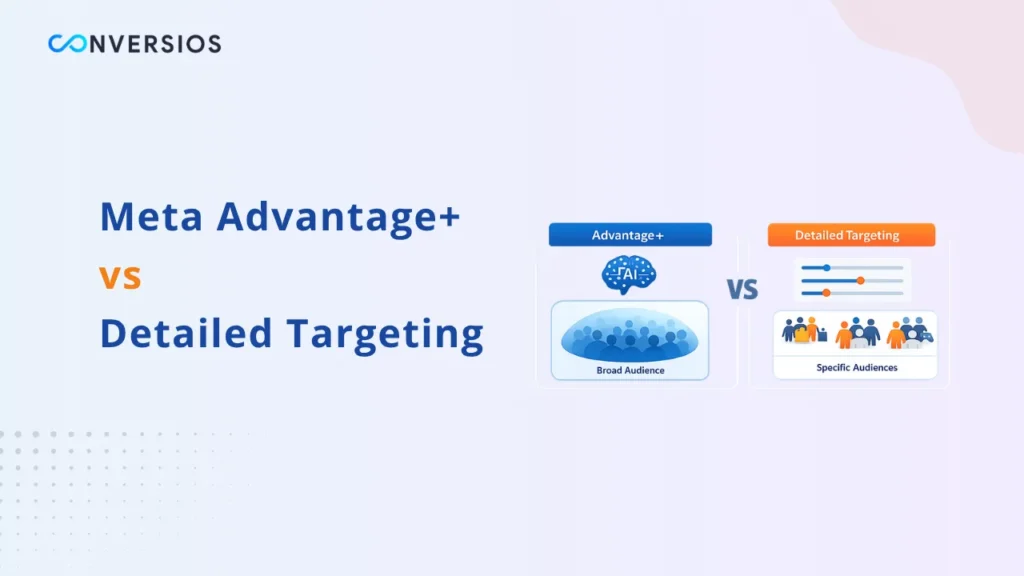
If you have been running Meta ads for more than a year, you probably remember spending hours building the perfect audience. Layering interests. Setting tight age ranges. Excluding people who already bought. That level of manual control felt like skill.
That world is mostly gone now. Meta’s Advantage+ Audience targeting has fundamentally changed how advertisers reach people on Facebook and Instagram. Instead of you telling Meta exactly who to target, you are now handing the keys to Meta’s AI and letting it find the right people for you.
But here is what confuses most advertisers in 2026. Detailed Targeting still exists in Ads Manager. So which one do you actually use? When does Advantage+ Audience win? When does manual targeting still make sense? And after Meta removed dozens of detailed interest categories on January 15, 2026, does Detailed Targeting even have a future?
This guide answers all of it with real performance data, a clear decision framework based on your budget and account maturity, and practical setup steps written specifically for ecommerce stores on Shopify and WooCommerce.
Quick Answer
Advantage+ Audience is Meta’s default AI targeting system that treats your inputs as suggestions, not rules. Only location and minimum age are hard constraints. For most ecommerce stores with established conversion history and a budget above $50 per day, Advantage+ Audience outperforms Detailed Targeting. Meta’s internal benchmarks show Advantage+ cuts CPA by up to 32 percent in ecommerce verticals, with CTRs up 11 to 15 percent. Detailed Targeting still makes sense for new accounts with fewer than 50 weekly conversions, very niche markets, hyper-local campaigns, or budgets under $30 per day where the AI does not have enough data to learn effectively.
What Changed in Meta Targeting in January 2026
Before comparing the two targeting approaches, it is important to understand what Meta changed on January 15, 2026, because it directly affects how much Detailed Targeting is even available to you now.
As of June 23, 2025, Meta began consolidating many detailed interest categories into broader groupings. Specific interests such as EDM fans, SUVs, and vegan food were merged into broad groups. Detailed targeting exclusions were also removed entirely. Active campaigns created before June 23 could continue running until January 15, 2026, after which they stopped delivering if impacted targeting options remained unchanged in the ad set.
If you saw a warning banner in Ads Manager around that date, it meant your campaigns used interests that Meta had removed. Meta suggested alternative targeting options, and advertisers needed to edit their ad sets or saved audiences to continue running ads after the January 2026 deadline.
The practical effect is that Detailed Targeting is now significantly less granular than it used to be. The specific interest stacking that many advertisers relied on is largely gone. This is exactly why so many advertisers are now evaluating Advantage+ Audience as their primary approach in 2026.
You can review the full list of removed targeting categories and Meta’s official guidance on the changes directly on Meta’s Business Help Center.
What Is Advantage+ Audience and How Does It Work
Advantage+ Audience is Meta’s AI-powered targeting system that automatically finds your most likely buyers without requiring you to manually define an audience.
Rather than building an audience of women aged 25 to 44 interested in yoga and wellness, you give Meta your ad creative and a conversion goal, and Meta’s AI figures out who is most likely to convert based on signals from across its entire ecosystem including Facebook, Instagram, Messenger, and the broader Meta Audience Network.
Meta’s targeting engine is powered by its deep learning architecture introduced in late 2024. It uses billions of data points collected across the platform to identify users who match the behavioral and intent patterns of your existing converters.
When you set up Advantage+ Audience, you can still provide what Meta calls audience suggestions including age ranges, locations, and interests. But these are starting hints, not hard boundaries. The AI treats your suggestions as a starting point and then expands beyond those parameters whenever it finds better-performing users elsewhere on the platform.
Controls are hard rules. Suggestions are soft guides. This distinction matters enormously when setting up your campaigns and is where most advertisers make their first mistake.
In Q2 2025, 35 percent of US retail ad spend went to Advantage+ campaigns. This is not a niche feature anymore. It is quickly becoming the dominant way Meta campaigns are structured and run.
What Is Detailed Targeting and What Has Changed
Detailed Targeting still exists in Ads Manager in 2026, but its inputs are now treated as suggestions rather than strict filters in most campaign objectives.
Detailed Targeting is the original manual audience building system inside Meta Ads Manager. It allows advertisers to select specific interests, behaviors, and demographics to define who sees their ads.
However, when you set up a Detailed Targeting audience today, you are not necessarily restricting who sees your ad. You are giving Meta a hint about where to start. The algorithm may still show your ads to people well outside those parameters if it determines they are more likely to convert. For 11 of the most common performance goals, detailed targeting inputs are always used as a suggestion rather than a rule, regardless of how you configure the ad set.
Meta has also consolidated detailed targeting categories by merging specific interests into broader groups. This means advertisers now have significantly less granular control than they had even 12 months ago. The very specific interest combinations that formed the backbone of many successful campaigns are either gone entirely or absorbed into categories so broad they offer little meaningful segmentation value.
Advantage+ Audience vs Detailed Targeting: Side by Side
Here is a direct comparison of how Advantage+ Audience and Detailed Targeting differ across the factors that matter most for ecommerce advertisers in 2026.
| Factor | Advantage+ Audience | Detailed Targeting |
| Who controls targeting | Meta’s AI | You (with AI expansion) |
| Hard constraints | Location and minimum age only | Location, age, gender (limited) |
| Interest inputs | Treated as suggestions | Treated as suggestions in most objectives |
| Best for | Established accounts, conversion campaigns | New accounts, niche markets, local campaigns |
| Minimum conversions needed | 50 per week recommended | Lower threshold |
| CPM | Generally lower due to broader inventory | Higher due to narrower audience pool |
| Transparency | Limited visibility into who was reached | More visible audience breakdown |
| Creative dependency | Very high. Creative IS the targeting signal | Moderate |
| Learning phase | Exits faster with sufficient data | Can struggle with small audiences |
| Interest exclusions | Not available | Not available since March 2025 |
Real Performance Data: What the Tests Show
The data consistently favors Advantage+ Audience for most ecommerce scenarios, but the results depend heavily on your account setup and tracking quality.
According to Meta’s internal benchmarks, switching to Advantage+ cuts CPA by up to 32 percent in ecommerce and lead generation verticals. CTRs are up by 11 to 15 percent, driven by more relevant delivery and dynamic creative combinations. CPC tends to decrease by 5 to 10 percent in competitive segments when high-quality creatives and clean conversion data are used together.
Performance data from Meta’s product team also shows 13 percent lower cost per catalog sale and 7 percent lower cost per conversion with Advantage+ Audience compared to manual targeting approaches across comparable campaign types.
In an independent 30-day A/B test published by Jon Loomer Digital, the CPM difference between Advantage+ Audience and Detailed Targeting was $0.89, resulting in 1,500 to 2,000 more impressions with Advantage+ Audience over the test period. The analysis noted that Meta estimated a 36 percent chance of Detailed Targeting outperforming Advantage+ if the test were repeated, which means the margin is real but not absolute. Testing for your specific account always matters.
In a fintech case study, one application implemented Dynamic Creative within an Advantage+ campaign and reported a 40 percent increase in ROAS alongside an 82 percent decrease in cost per purchase compared to their previous manual targeting setup.
The critical finding across all studies is consistent. The performance gains from Advantage+ are not automatic. Campaigns with poor data feeds, outdated creatives, or broken tracking experience slower optimization and weaker results. Advantage+ is only as good as the conversion data you feed it.
Which One Should You Use: A Decision Framework
Use Advantage+ Audience When:
Your account has at least 50 conversions per week. This gives the AI enough signal to learn effectively and exit the learning phase quickly without extended instability.
Your daily budget is above $50. Below this threshold the AI does not have enough spend to explore broadly and identify your best-performing user segments.
You are running Sales, Leads, or App Install campaigns. Advantage+ Audience is automatically active when running these objectives because they are optimized for conversion signals that the AI can learn from directly.
You want to scale a campaign that is already profitable. Advantage+ gives the algorithm room to find more buyers beyond your manually defined audience without the constraint of narrow interest buckets.
You have strong creative assets ready. Creative is now your targeting mechanism. The algorithm reads your images, copy, and hooks and uses that to determine who sees your ad. Better creative literally means better audience matching and faster learning.
Use Detailed Targeting When:
Your account is new and has fewer than 50 conversions per week. Without enough conversion history, the AI has nothing meaningful to learn from and performance suffers during an extended and unpredictable learning phase.
You are running a hyper-local campaign targeting a small geographic radius. If you are targeting a 10-mile radius around a single store location, the AI does not have enough audience room to explore. Focused geo-targeting with manual inputs works better in this scenario.
You are in a very niche B2B market where the audience is small, well-defined, and cannot be easily discovered through broad behavioral signals alone.
Your budget is under $30 per day and you need the algorithm to have a more focused starting point rather than exploring a broad audience it cannot afford to test properly within that spend level.
How to Set Up Advantage+ Audience Correctly
Step 1: Choose the Right Campaign Objective
Start a new campaign and select Sales or Leads as your objective. Advantage+ Audience works best when the system has concrete conversion events to learn from. If you select Traffic or Engagement, the AI optimizes on softer signals and will match your audience less precisely to actual buyers.
Step 2: Ensure Your Pixel and CAPI Are Both Running
The AI is only as good as the data it is learning from. Before running any Advantage+ campaign, make sure your Meta Pixel and Conversions API are both firing correctly and sending accurate conversion signals to Meta.
A broken Pixel or missing CAPI setup means Advantage+ is learning from incomplete data, which directly limits its ability to find the right buyers and extend the learning phase unnecessarily. For Shopify stores, you can verify and fix both Pixel and CAPI through the Conversios app for Shopify. For WooCommerce stores, the Facebook Conversion API setup guide for WooCommerce walks through the full process using the Conversios plugin with no code required.
Step 3: Set Your Audience Controls Correctly
In the ad set settings, scroll to the Audience section. Under Controls, set your hard limits. These are the only parameters Advantage+ will strictly follow. Set your target locations and minimum age as hard constraints.
Add your existing customer list as an exclusion under Controls if you want a pure acquisition campaign. This is critical. Controls are hard rules. Suggestions are soft guides. If you place your customer exclusion list under Suggestions instead of Controls, the AI may still show ads to people who already purchased from you, wasting budget on existing customers.
Step 4: Add Audience Suggestions Strategically
Click Audience Suggestion and add soft starting hints to guide the AI. You can include custom audiences such as past website visitors, lookalike audiences based on your best customers, and broad relevant interest categories. Remember these are not restrictions. They are starting signals. The AI will expand beyond them when it finds better-performing users elsewhere on the platform.
Step 5: Consolidate Your Ad Sets
Advantage+ Audience works best with a consolidated campaign structure. If you are running 15 ad sets each spending $20 per day, none of them will exit the learning phase. Each ad set needs sufficient volume to learn independently. Consolidate into 2 to 3 well-funded ad sets and let the AI optimize across the broader audience pool rather than fragmenting learning across too many small buckets.
Step 6: Refresh Creative Regularly
The algorithm will fatigue your creative faster than manual targeting because it is showing your ads more aggressively to high-propensity users. Plan for creative refreshes every 2 to 3 weeks. If your frequency climbs above 3 and performance starts to dip, the issue is almost always creative fatigue rather than audience exhaustion, and a new creative set will restore performance faster than any targeting adjustment.
How to Make Detailed Targeting Still Work in 2026
Detailed Targeting can still deliver results in 2026 if you accept that interest inputs are suggestions, use broader categories, and pair them with strong creative that self-selects the right audience naturally.
Accept that inputs are suggestions and not strict filters. Do not build a targeting strategy around detailed interests as if they are hard audience restrictions. Use them as starting signals that give the AI a direction without over-constraining where it can go.
Use 3 to 6 broad but relevant interests rather than stacking many narrow ones. Accounts that use light guidance with strong creative signals tend to scale faster than those with heavily segmented targeting. Do not spin up 10 ad sets with one interest each. Overlap kills statistical validity and spreads learning too thin across too many small audiences.
Update any campaigns that used removed interests immediately. If you see a warning banner in Ads Manager, go into the affected ad sets and replace removed interests with currently available categories. Leaving them unfixed means those campaigns are either not delivering or delivering on a degraded audience definition.
Pair Detailed Targeting with strong creative that speaks directly to your target audience’s specific problem or identity. Since the AI expands beyond your interest inputs anyway, your creative needs to do the work of attracting the right people by being specific enough that the wrong people self-select out.
Make sure your Meta Pixel is set up and firing correctly so that even with manual targeting, Meta has enough conversion signal to optimize delivery effectively within your chosen starting audience over time.
Common Mistakes to Avoid
Assuming Detailed Targeting still works the same way it did in 2020 or 2021. It does not. Your interest inputs are now suggestions in most campaign objectives, not hard restrictions, and many of the specific interests you relied on no longer exist.
Running Advantage+ Audience on a new account with fewer than 50 weekly conversions. Without enough conversion data, the AI has nothing meaningful to learn from, which results in an extended and unstable learning phase that burns budget without producing consistent results.
Putting your customer exclusion list in Audience Suggestions instead of Audience Controls. Suggestions are soft guides. Only Controls act as hard rules. If your exclusion list is in Suggestions, the AI may still show ads to existing customers and waste acquisition budget on people who have already converted.
Running too many ad sets with small individual budgets. Fragmented budget prevents any single ad set from gathering enough data to exit the learning phase, which means the algorithm never optimizes effectively regardless of whether you are using Advantage+ or Detailed Targeting.
Neglecting creative refresh when running Advantage+. The system finds your best users fast and shows them your ad repeatedly. Creative fatigue arrives much sooner than with manual targeting and is the most common reason Advantage+ campaigns decline after a strong start. Plan your creative calendar in advance.
Launching Advantage+ Audience before fixing your tracking setup. The AI learns from your conversion data. If your tracking is incomplete because you are running Pixel only without CAPI, the AI is optimizing on partial information. If your Meta Pixel is firing but showing no conversions, fix this before launching any Advantage+ campaign to avoid wasted learning budget on bad signals.
Key Takeaways
Advantage+ Audience uses Meta’s AI to find your best customers automatically, treating your targeting inputs as suggestions rather than strict rules.
Only location and minimum age are hard constraints in Advantage+ Audience. Everything else including interests, custom audiences, and lookalikes is a soft guide that Meta’s algorithm can expand beyond.
Meta removed dozens of specific detailed targeting interest categories on January 15, 2026, making granular interest stacking largely unavailable for most advertisers.
Meta’s internal benchmarks show Advantage+ Audience delivers up to 32 percent lower CPA and 13 percent lower cost per catalog sale compared to manual targeting setups.
Advantage+ works best for accounts with at least 50 weekly conversions, budgets above $50 per day, and strong regularly refreshed creative assets.
Detailed Targeting still makes sense for new accounts, hyper-local campaigns, niche B2B markets, and budgets under $30 per day where a focused starting point is more valuable than broad AI exploration.
Your Pixel and CAPI setup is the foundation of everything. Advantage+ Audience is only as good as the conversion data it learns from.
Creative is now your primary targeting mechanism. The algorithm reads your creative to determine who sees it. Better creativity means better audience matching and a faster exit from the learning phase.
Conclusion
The shift from Detailed Targeting to Advantage+ Audience is not a trend that will reverse. It is the direction Meta is permanently building toward. Advantage+ campaigns now represent the primary growth engine for the majority of US advertisers, and the January 2026 removal of granular interest categories has accelerated this transition by making the old manual approach significantly less precise and less available.
For most ecommerce advertisers, the right answer in 2026 is to embrace Advantage+ Audience as your primary targeting approach, invest seriously in creative quality and creative refresh cadence, and make sure your tracking foundation is solid with both Pixel and CAPI running together and sending clean conversion signals to Meta.
Detailed Targeting is not dead. But it is no longer where campaigns are won or lost. The advertisers who will outperform in 2026 are not the ones who find a clever interest combination. They are the ones who feed Meta’s AI the best data and give it the best creative to work with.
If you want to make sure your Pixel and CAPI are set up correctly before switching to Advantage+ Audience, run a free tracking health check at Conversios to see exactly where your data gaps are before you let the AI start learning from incomplete signals.
Frequently Asked Questions
Q. What is the difference between Advantage+ Audience and Detailed Targeting on Meta?
Advantage+ Audience uses Meta’s AI to automatically find users most likely to convert, treating your inputs as suggestions it can expand beyond. Detailed Targeting lets you manually select interests and demographics, but even these are now treated as suggestions in most campaign objectives rather than strict filters.
Q. Is Advantage+ Audience better than Detailed Targeting in 2026?
For most established ecommerce accounts, yes. Meta’s internal benchmarks show switching to Advantage+ cuts CPA by up to 32 percent in ecommerce verticals. However, for new accounts with limited conversion history, small budgets under $30 per day, or hyper-local campaigns, Detailed Targeting still provides a better-focused starting point for the algorithm and more predictable early performance.
Q. Can I use both Advantage+ Audience and Detailed Targeting together?
Yes. You can add Detailed Targeting inputs as audience suggestions within an Advantage+ Audience setup. These act as starting hints that guide the AI’s initial search direction, while still allowing Meta to expand beyond them if better-performing audiences are found elsewhere on the platform.
Q. Why did some of my Meta campaigns stop running in January 2026?
Active campaigns created before June 23, 2025 that used discontinued detailed targeting interests stopped delivering on January 15, 2026 if the impacted targeting options remained unchanged in the ad set. Go to Ads Manager, look for warning banners on affected campaigns, and update the targeting to use currently available interest categories or switch to Advantage+ Audience to restore delivery.
Q. How many conversions do I need before using Advantage+ Audience?
You need at least 50 conversions per week for stable Advantage+ performance. Lower volume means the algorithm has insufficient data to learn from, which results in an extended learning phase and inconsistent results. Below that threshold, use Detailed Targeting with broad interest suggestions to give Meta a more focused starting direction within your budget.
Q. Does Advantage+ Audience work for small budgets?
It can work, but it performs best with budgets above $50 per day. Below that level, the AI does not have enough spend to explore broadly and identify the best-performing audience segments. For smaller budgets, combining light Detailed Targeting suggestions with Advantage+ enabled gives the algorithm a more focused starting point without requiring a large exploration budget.
Q. What happened to Detailed Targeting exclusions on Meta?
Meta removed detailed targeting exclusions from Ads Manager in March 2025 and from boosted posts in June 2025. You can no longer exclude users based on interest categories. To exclude specific audiences such as existing customers or recent purchasers, you must use a custom audience exclusion placed in the Audience Controls section of your ad set, not through interest-based exclusions which no longer exist.