



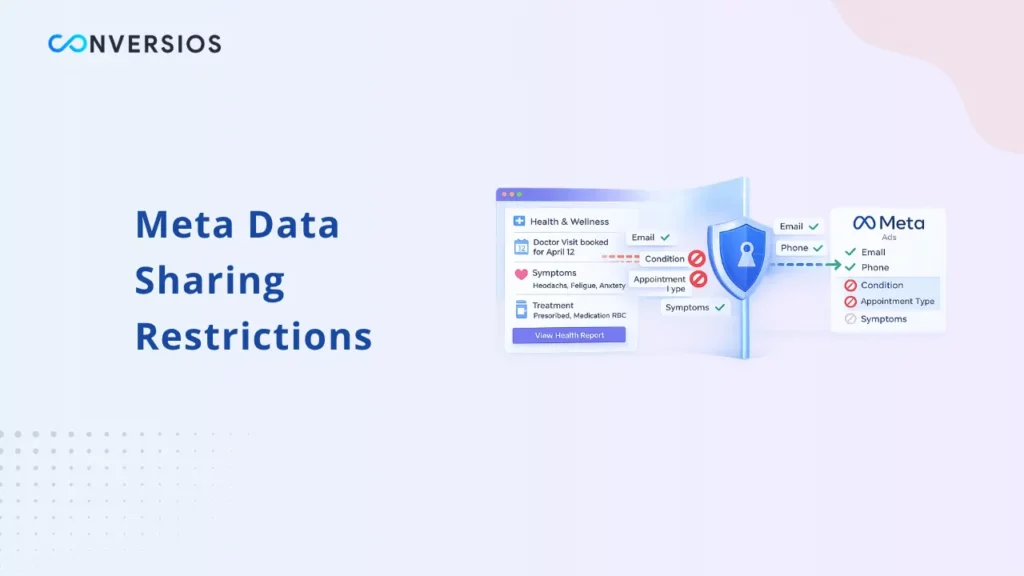
Meta data sharing restrictions for health and wellness are category-based limits Meta applies to certain websites and apps to reduce the risk of collecting or using sensitive health information for ads optimization and targeting. Meta explicitly states you’re responsible for the data you share, and its systems are not a substitute for your own compliance mechanisms.
This guide is educational, not legal advice. It focuses on what the restrictions are, what data is most likely to trigger them, how to keep optimization working with safer signals, and how to monitor so you don’t get flagged again.
Why Meta applies these restrictions
Meta categorizes data sources (domains and apps). Some categories can have additional data sharing restrictions, including health and wellness.
The “why” is straightforward: certain page content, URLs, or event details can imply a person’s health status or intent, even if you didn’t explicitly send a diagnosis. Industry analysis of the rollout points to Meta trying to reduce compliance risk around sensitive health data, especially where user consent and regulations vary by region.
The key takeaway: this is not a tracking “bug.” It is policy-driven enforcement tied to category and perceived risk.
The three restriction levels you may see in Events Manager
Meta describes a restrictions system where tracking, optimization, and reporting limitations can apply if an account or data source is restricted.
In practice, advertisers commonly see three tiers (names can vary slightly in UI, but the behavior is consistent).
Level 1: Core Setup restrictions
Core setup is the most common starting point. The big impact is that Meta restricts transmission of certain data, especially:
- custom parameters
- anything in a URL after the domain (paths and query strings)
Search Engine Land summarizes the practical effects: reduced ability to share custom parameters and URL parts, reduced reporting details in Events Manager tools, and potential loss of features like advanced matching for impacted sources.
Level 2: Restrictions on certain standard events
At this level, Meta can prevent optimization toward mid and lower-funnel standard events like AddToCart or Purchase, pushing advertisers toward upper-funnel events instead.
This is the moment most health and wellness advertisers feel performance impact because the algorithm loses the cleanest “outcome” signals.
Level 3: Full restrictions
Meta may fully restrict all events in specific regions or globally, which means Meta Business Tools cannot use those events for campaign optimization where restrictions apply.
In plain language: you can still run ads, but you may lose the ability to use conversion-optimized delivery the way you’re used to.
What data is prohibited or risky to send
This is where most teams can fix the issue without changing their entire stack.
1) URL paths and query parameters
If your URLs include sensitive context after the domain, they can become a trigger. Under core setup, Meta restricts transmitting “anything in a URL following the domain” to help prevent prohibited information from being shared.
Common risk patterns:
- condition-like paths: /hair-loss/, /diabetes-support/, /fertility-treatment/
- quiz outcomes in query strings: ?result=high_risk
- appointment/service detail parameters: ?service=dermatology, ?clinic=city_center
- on-site search parameters: ?s=anxiety_medication
What to do:
- keep sensitive descriptors out of URLs where possible
- avoid sending full page URLs with sensitive paths as “custom parameters”
- minimize URL-based identifiers in event payloads that go to Meta
2) Event names and custom conversion names
Even if your intent is “just tracking,” event names and conversion names can leak sensitive meaning.
Risky examples:
- Appointment_Booking_Dermatology
- Purchase_WeightLossPlan
- Checkout_HairLossTreatment
Safer pattern:
- stick to standard event names where possible
- keep custom event names generic (without implying a condition or treatment)
If you create custom conversions, remember they become part of your advertising logic and reporting. Meta’s documentation on custom conversions exists for programmatic creation and use, and category restrictions can limit how events are used for optimization even when they are received.
3) Custom parameters in Pixel and CAPI payloads
The most common triggers are “extra helpful” parameters that accidentally reveal sensitive intent.
Examples of risky keys/values:
- diagnosis, condition, symptom, medication
- appointment_type, clinic_department, service_name
- quiz_score, bmi, weight_goal
- product identifiers that strongly imply a medical condition
This is where many setups need a formal “allowed list.”
- allowed: event_id, value, currency, basic content_ids (depending on your catalog strategy)
- avoid: anything that could imply a user’s health status or treatment intent
Important rule: CAPI does not bypass restrictions
A frequent misconception is: “If we move to Conversions API, we’ll be fine.”
Meta explicitly says Conversions API is not designed to bypass data-sharing policies (it calls out privacy frameworks and policies as examples).
In other words, restrictions apply to both browser and server pipelines. Server-side is a reliability layer, not a loophole.
This matters for planning: your fix should be “send safer data,” not “send the same risky data via a different pipe.”
How to keep optimization working with safe events and safe parameters
When restrictions tighten, the strategy is to preserve a usable optimization signal while reducing sensitive context.
Use standard events where you can, and keep names neutral
If Purchase or Lead becomes restricted for your category level, you may need to:
- optimize to higher-funnel events (ViewContent, Landing Page View)
- shift measurement and decisioning to your analytics and backend outcomes
- keep conversion events for internal analysis even if Meta can’t use them for delivery
Search Engine Land summarizes this reality: mid and lower-funnel optimization can be blocked, while upper-funnel events and some custom events may remain available depending on the restriction tier.
Use server-side GTM as a governance filter
Server-side GTM is most useful here as a control plane:
- strip risky parameters before forwarding events to Meta
- normalize event naming
- enforce an allow-list of parameters
- log rejected payloads so you can identify what caused a warning
This is where a repeatable QA habit matters. A short validate server-side GTM routine makes it easier to catch “one new parameter” that re-triggers restrictions.
Keep Pixel + CAPI dedup clean without adding sensitive context
If you run browser plus server events, deduplication matters. Meta’s dedupe guidance relies on matching IDs for the same event.
This is also where Facebook event deduplication (Pixel + CAPI) becomes important as a stability practice, because double counting creates confusing signals even when policy restrictions are not the main issue.
If you use CAPI Gateway, understand what it changes
Gateway can reduce implementation complexity, but it does not remove policy restrictions. The decision is still about governance and allowed fields, not only about transport.
Monitoring and preventing re-flagging
Most re-flags happen after a change:
- a theme update adds a new query parameter
- a plugin adds extra event fields
- a new landing page structure introduces sensitive URL paths
What to check weekly in Events Manager
Even without deep technical work, build a short weekly check:
- Diagnostics warnings
- sudden drop in event volume
- reduced match quality signals
- notifications about blocked parameters (Meta provides guidance and diagnostics for pixel issues)
Build a “do not send” list
Keep one short internal list with:
- URL patterns you will not forward
- parameter keys you will never send
- value patterns that imply health conditions
Then make it part of your release checklist. That is the simplest way to prevent repeat flags.
Request a review if you believe you’re miscategorized
If your business is not actually in a restricted category, or if your data source was categorized incorrectly, you should request a review through Meta’s tools. Multiple industry guides highlight miscategorization as a real issue and point to Events Manager settings as the place to start.
The key is to fix the data pipeline first. Appeals are less effective when the same risky signals are still present.
Conclusion
Meta data sharing restrictions for health and wellness are not solved by switching from Pixel to CAPI. They are solved by controlling what data you send.
If you treat tracking as an event contract, keep event names neutral, remove risky URL and parameter details, and enforce an allow-list through server-side governance, you can usually keep optimization functional while staying within policy boundaries. When issues persist, use Events Manager diagnostics to monitor changes and request a review if categorization is wrong.
If you need a practical troubleshooting companion while you’re cleaning up,Meta pixel fires but no conversions fix guide can help you separate “implementation broken” from “policy restricted.”
Frequently Asked Questions
Q. What are Meta data sharing restrictions for health and wellness sites?
They are category-based limits Meta applies to certain data sources to reduce the risk of collecting or using sensitive health information for ad measurement and optimization.
Q. What data is most likely to trigger restrictions?
Anything that can imply sensitive health context, including URL paths and query strings after the domain, and custom parameters that reveal condition, treatment, or appointment intent.
Q. Does Conversions API remove Meta data sharing restrictions?
No. Meta states Conversions API is not designed to bypass data-sharing policies. Restrictions can apply to server-side events too.
Q. How can I keep optimization working if Purchase or Lead is restricted?
Shift optimization to the highest-funnel event you can reliably use, keep event names neutral, minimize parameters, and move measurement of business outcomes into your analytics and backend reporting.
Q. How do I prevent getting flagged again after fixing it?
Maintain an allow-list of parameters, remove sensitive context from URLs and event fields, monitor Events Manager Diagnostics weekly, and add tracking checks to your release process.